

Available now
AVIORIX EDIT
Your photo studio. Colour, presets, masks, retouching, layouts and creative effects, on phone and desktop.
Photo editingCreative toolsQuick downloads

THE AVIOR · MADE IN KERALA
Welcome to theavior.in. A home for our apps, creative ideas and the things we are building next.
Meet AVIORIX EDIT. Our first creative space.
More from AVIOR is on the way.
THE AVIOR COLLECTION
Our apps, their features, and what we are building — all in one place.
Your photo studio. Colour, presets, masks, retouching, layouts and creative effects, on phone and desktop.
A space for future apps and assistant experiences. New releases will appear here with their own icons, features and launch details.
Follow our journey →
THE AVIOR • POWERED BY AI • BUILT FOR YOU
Big ideas begin with a little curiosity. Discover a world of creative tools, bring your photos to life, and make something that is entirely yours.
ONE PLATFORM. ENDLESS POSSIBILITIES.
Aspire. Vision. Inspire. Organize. Rise.
A home for everything we create next.

THE AVIOR COLLECTION · PRODUCTS & TOOLS
Tools for the way you see the world.
More possibilities, always on the horizon.
Your vision, beautifully brought to life. Colour, presets, masks, retouching and creative effects in one photo studio.
New ideas are taking shape. This space is ready for our next app.
COMING SOON ↗Creative tools, new AI apps and upcoming products from AVIOR. Explore what comes next.
ABOUT THE AVIOR
theavior.in brings our apps and ideas together in one place. AVIORIX EDIT is our photo editor, built for everyday creativity.
As new apps are ready, you will find their icons, features and launch details here. Follow our journey on Instagram.
Have an idea or feedback? We would love to hear from you.

Scan with your phone camera to follow @theavior.in on Instagram.
Open InstagramYOUR VISION. YOUR STUDIO.
Edit. Enhance. Create. Swipe to discover your next look.
STUDIO & TOOLS · BEFORE / AFTER
Watch dark backgrounds fill with vibrant colour scenery automatically — or switch to Black & White to Colour mode anytime. Preview looks, pause the animation, and explore the original editing samples.
Quick tools
Choose a tool, drop a photo or paste a link. Preview and download right here.
Paste a public image or post URL from a supported website. Download results depend on the source.
Choose a gallery photo or screenshot. Your photo stays in this workspace when you switch tools.
Auto-find text or mark any area by hand.
Check the highlighted areas first. Reconstructed detail may differ from the original.
Keep paints back parts that were cut by mistake, like a finger. Erase removes leftover background or stray hair. Each stroke can be undone.
Cut out with the Best edges AI from AVIORIX EDIT, in HD, on your device. One guest photo, or 5 photos / uses per 24 hours after sign-in, shared across tools.
MADE BY OUR COMMUNITY
Share your perspective. Customer submissions are reviewed before appearing publicly.
At least 1024 × 640 pixels in either orientation. Resolution and format are checked automatically; visual suitability is reviewed by the administrator. Photos submitted here are uploaded to the server.
EXPLORE OUR PHOTO EDITOR
Features, Studio, plans, downloads & app updates
AVIORIX EDIT · CREATIVE STUDIO
Explore the moods, colour tools and editing features of AVIORIX EDIT. Start with a quick tool, or open the complete editor.
Colour, presets, masks and creative tools — together in AVIORIX EDIT.
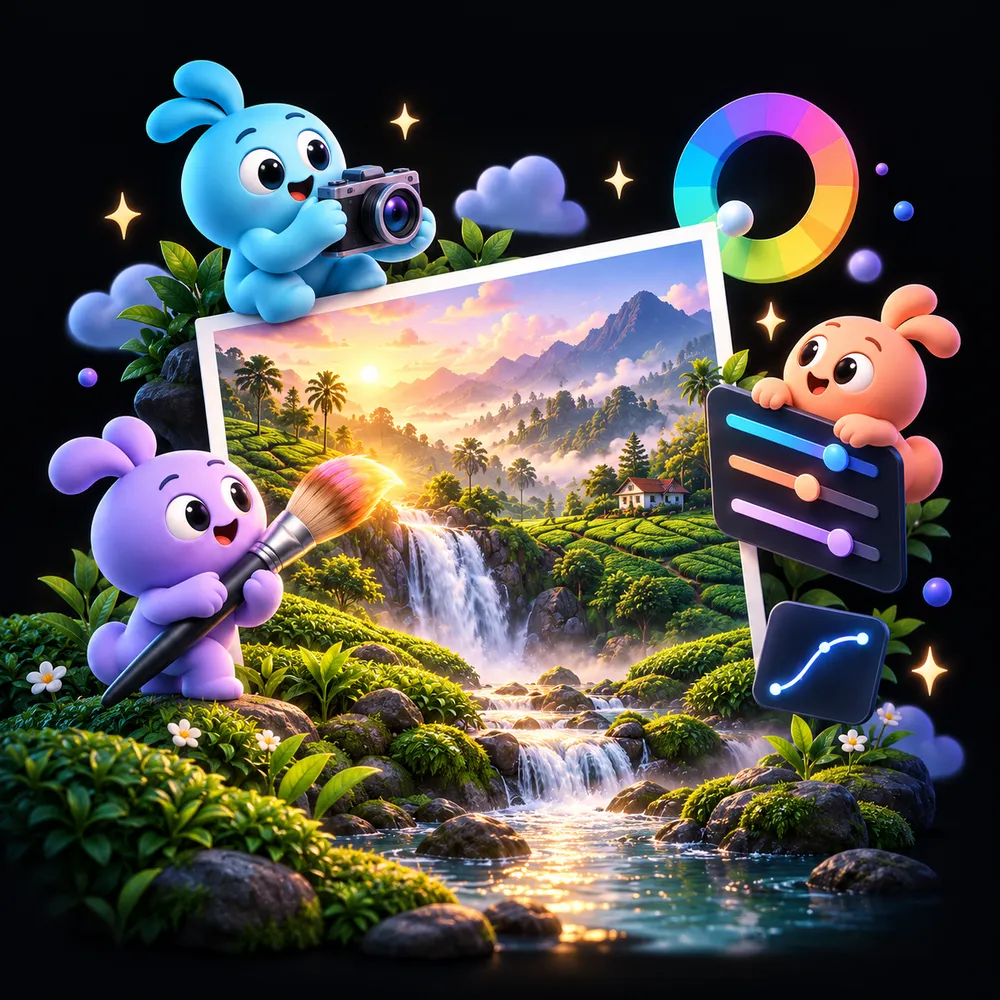
 Kerala · Before
AVIORIX Studio
Studio is AVIORIX EDIT v1.1.9 itself, with the same tools and the same look. On a computer the tools move to the top and the settings open in a panel on the right.
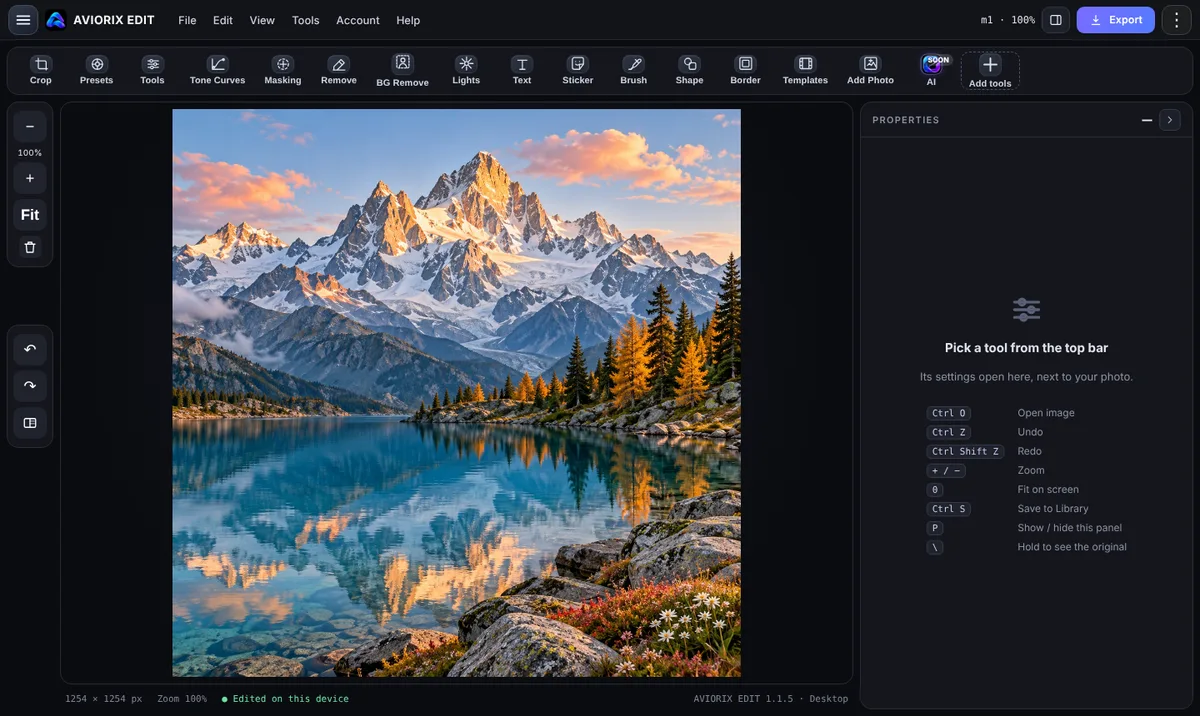
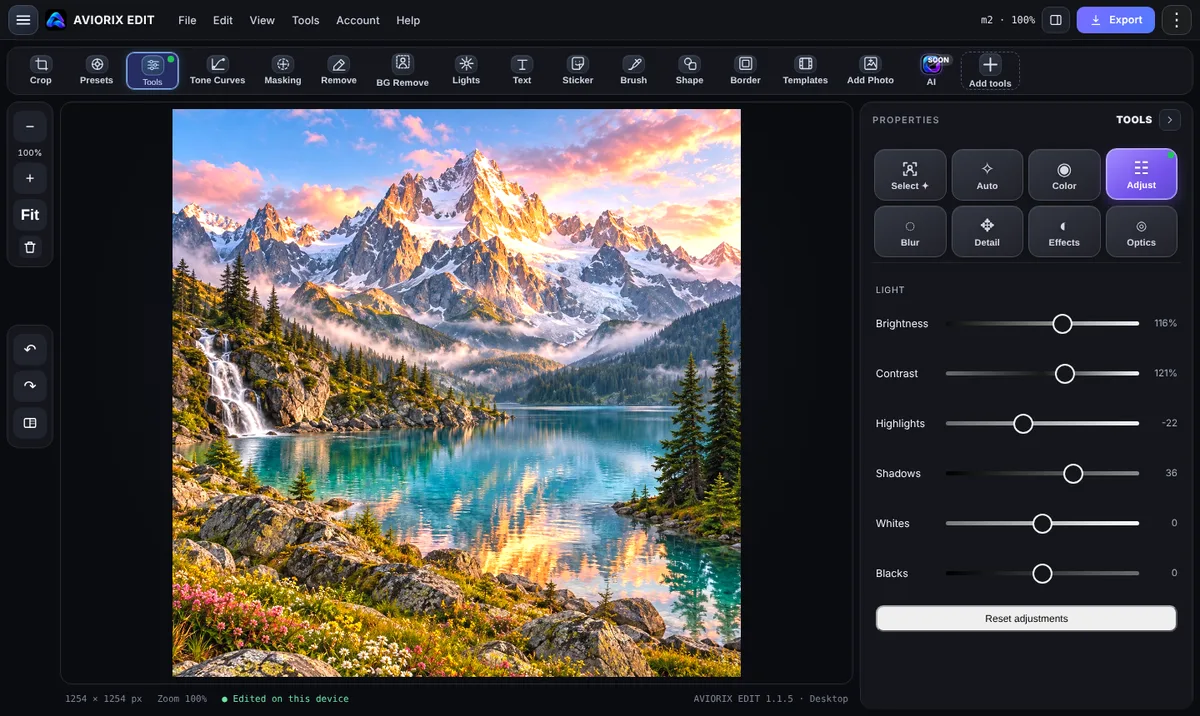
Keyboard: Ctrl O open · Ctrl Z undo · Ctrl E export · + / − zoom · 0 fit.
Plans & Pro tools
These are the plans and prices in AVIORIX EDIT v1.1.9. Pro tools unlock inside the app and in Studio.
or ₹399 a year
or ₹1,199 a year
Coming to Pro
Inside the app
The tools in your current app build, in the order they appear in the tool bar.
Get the app
Install it now from this page, or pick a native build when it is released.
Available nowAdd AVIORIX EDIT to your home screen or desktop. It opens in its own window with the app icon, without browser bars.
Updates
Release notes and what is coming next for AVIORIX EDIT.
Good to know
Yes. Studio runs AVIORIX EDIT v1.1.9 with every tool. On a computer the layout changes so the tools sit along the top and the settings open on the right. On a phone you get the app's own layout.
No. Choose Continue without an account. Signing in with Google or your phone number lets you back up your works to your own Google Drive and use your Pro plan on any device.
No. Quick tools and Studio edit the photo inside your browser. Only the AI tools you choose and Cloud backup send data, and only when you use them.
No release date is set yet. Each card in Get the app turns into a download button when its build is ready. You can install the web app today.
New ideas. New tools. A little more possibility.
We’ll introduce new features here when they’re ready.
THE AVIOR ECOSYSTEM • PRODUCTS & AI SUITE
Every app, AI studio tool, and cloud service built by THE AVIOR — designed to work together seamlessly with a single AVIOR User ID.
Our complete desktop and mobile photo editing suite. Features layer-grade Tone Curves, AI Background & Watermark Removal, 11 Live Mood & Colour Looks, Masking, Brush Studio, Retouch, and 45+ Camera Lens Profiles.
Cut out subjects or remove backgrounds in one click with Standard, Best Hair-Sharp Edges, and Pro AI matting modes. Export transparent PNGs up to 8K.
Cleanly erase watermarks, date stamps, text overlays, and unwanted objects using our multi-scale PatchMatch content-aware fill engine.
Paste any public image or post link to extract, preview, and convert images into lossless PNG or high-quality JPG at Original, HD, 4K, or 8K resolution.
Transform dark canvases into vibrant colour scenery automatically or switch to B&W-to-Colour mode across 11 curated looks (Golden, Dreamy, Neon, Noir & more).
Capture with signature looks like AVIORIX Gold and Kerala Green, plus optical lens correction profiles for 45+ camera brands.
Single Sign-On with your permanent AVIOR User ID, Google Drive library sync, and upcoming AI creative assistants in the AVIOR ecosystem.
THE AVIOR • ADMINISTRATOR CONTROL PANEL (v1.2.6)
Manage logged-in users, search by AVIOR User ID or @username, generate Payment Codes, and unlock Gold / Diamond plans.
Admin Master Password: AVIOR2026 · Official Admin Email: aviorofficial.co@gmail.com. All Gold, Diamond, 8K Export, AI Cutout & Pro Studio features are 100% unlocked for you.
Create a 6-digit Payment Code to send to any customer via email or WhatsApp. When they enter this code, their Gold or Diamond plan unlocks automatically.
When a customer sends a Payment Code request, it appears here with their AVIOR User ID. Generate a code for them or approve their plan in 1 click.
Search by AVIOR User ID (e.g. AVIOR-RAHUL-4821), @username, email, or phone number to verify payment issues and grant or extend plans.
OPENING AVIORIX EDIT…
One account for the website, Studio and the app.
theavior.in